Cover Story: This Router Writes Like a Columnist
My Archer C6 v3 woke up one morning tired of stock firmware and begged for more autonomy. OpenWrt 24.10.2 answered the call, offered a new wardrobe (LuCI dress in dark mode), and gave me back control of every packet that dared traverse the house.
This issue is themed “Network Authority”—highlighting the LAN vs. guest standoffs, the WireGuard escape hatch, and the SNMP-powered switch that reports every port squabble to Home Assistant.
The Layout: Bridges, Subnets, and Peer Pressure
Here’s the simplified headline layout:
| Dossier | Interface | Subnet | Notes |
|---|---|---|---|
| LAN | br-lan (ports lan1-lan4, phy0-ap0, phy1-ap0) | 192.168.0.0/24 | Primary family network, DNS anchored at 192.168.0.240 + 1.1.1.1. |
| Guest | br-guest (phy0-ap1) | 192.168.30.0/24 | Isolation with its own gateway, no default route leaking into LAN. |
| WireGuard | wg0 | 10.10.10.1/24 | VPN concierge keeping one peer (10.10.10.2) honest with keepalives. |
The bridge is real: one radio per bridge, two active SSIDs, and two physical switches on the LAN side. The guest network is a separate cast member with a dedicated bridge (br-guest), while the LAN gets party guests via br-lan. The interfaces page captured below still looks smug after 1 day of uptime.
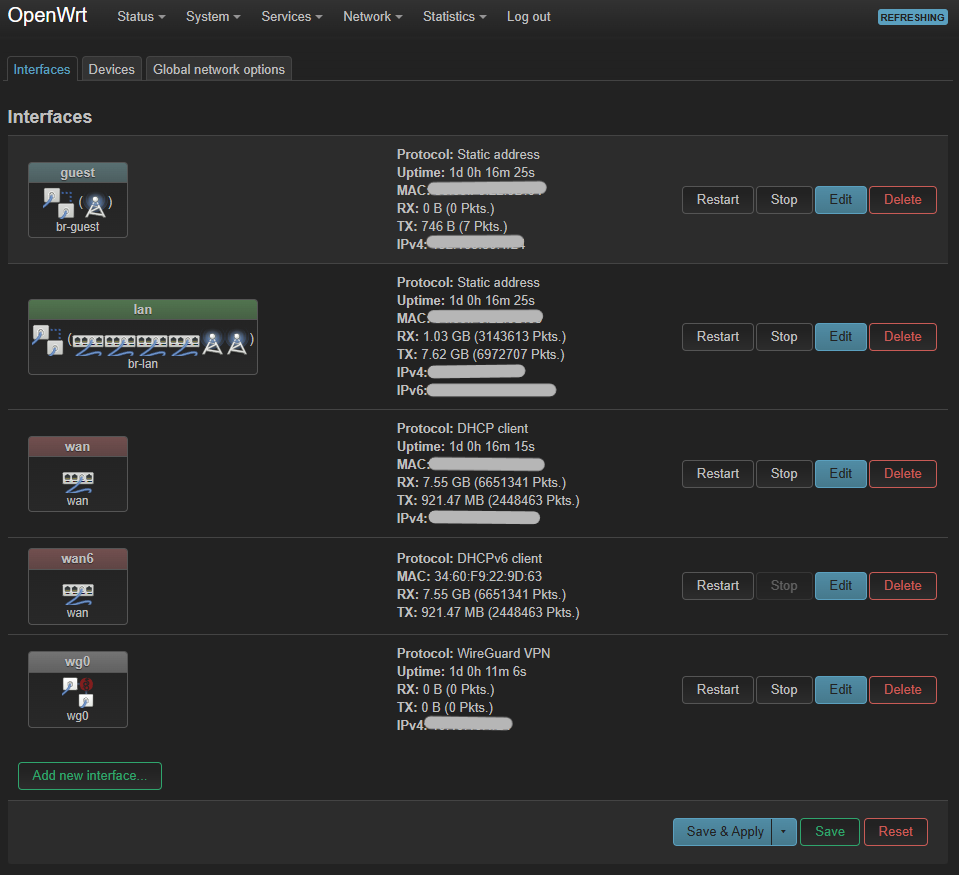 Caption: Front-page layout of the interfaces, showing static LAN, isolated guest, WAN facing the ISP, and a lonely WireGuard interface waiting for its next peer.
The Security Column
Firewall settings read like a no-nonsense bouncer’s checklist: input rejected by default, forward locked down, but WAN-facing services get “guest passes” when necessary. masq is enabled for WAN and guest, so both outbound crowds wear masquerade masks when crossing into the Internet. The guest zone also stacks routing so that its packets can only exit to WAN, not snoop on LAN.
There’s a sneaky “Force-DNS” redirect that takes every LAN DNS request, points it back to the router (192.168.0.1), and politely forces the DNS servers of my choosing. And there’s a dedicated rule that keeps WireGuard listening on 51820 wide open—it’s literally a VIP lane, and the WAN zone signs off on it.
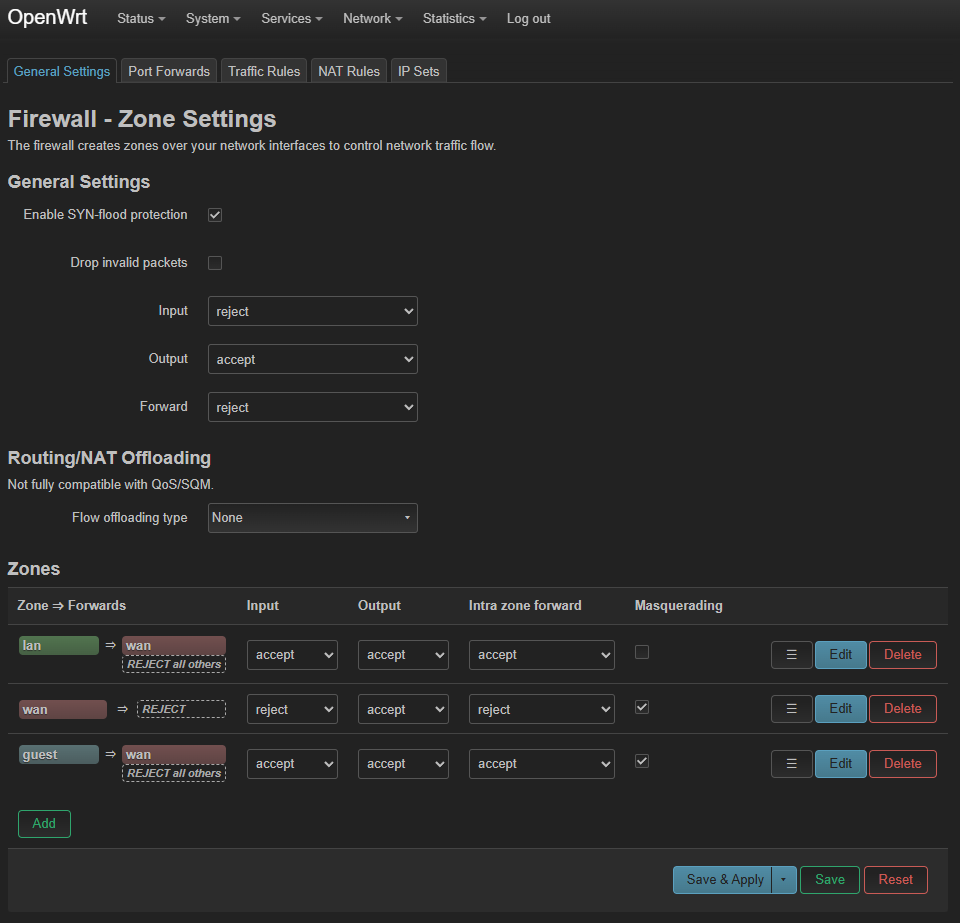 Caption: The firewall arena keeps the guest VLAN contained, the WAN paranoid, and WireGuard waving through a golden ticket on port 51820.
Traffic Rules & Roadmaps
Traffic rules read like the boring but important column in the paper: basic allowances for DHCP renewals, ping replies, IGMP chatter, and the IPv6 niceties so neighbors can breathe. If you want to play with QoS later, this is where you could add the next editorial.
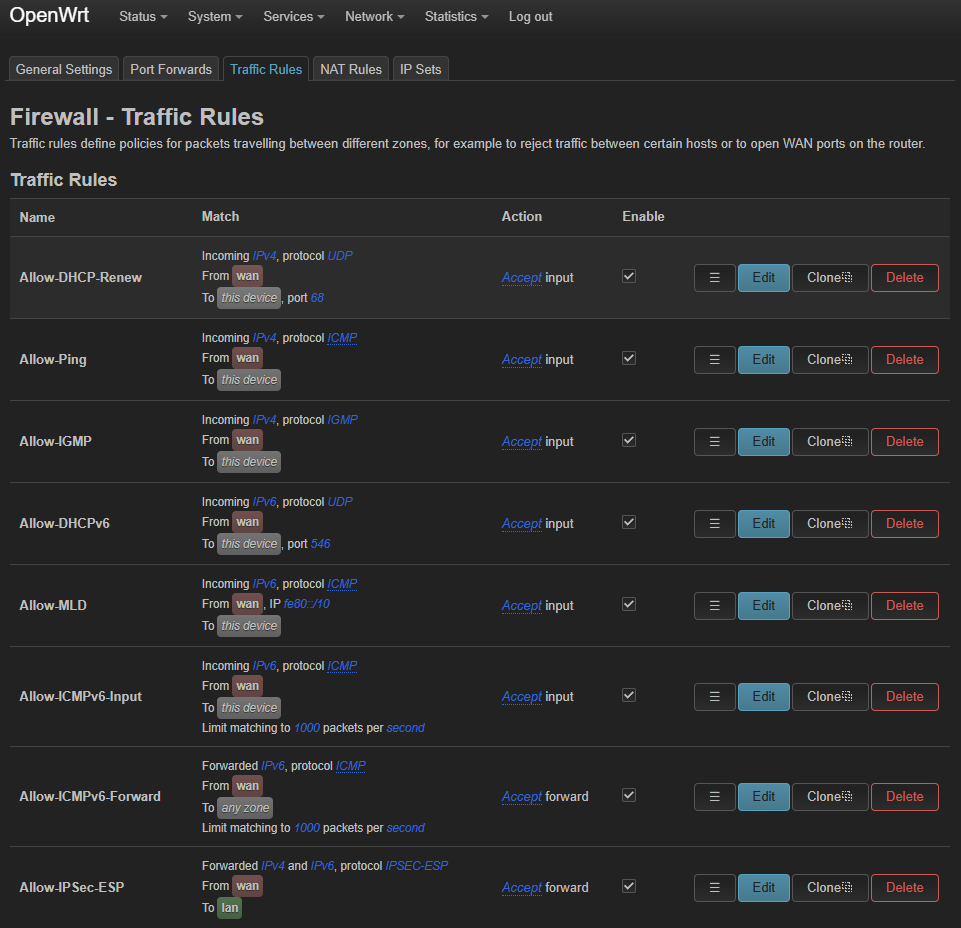 Caption: These rules let the router respond to WAN management traffic while still rejecting strangers.
WireGuard Featurette
WireGuard is the secret handshake door behind the headlines. I keep the interface lean, expose it on port 51820, and only allow one peer (10.10.10.2). The private key stays hidden for obvious reasons, but here’s the config that LuCI would happily translate:
network.wg0=interface
network.wg0.proto='wireguard'
network.wg0.listen_port='51820'
network.wg0.addresses='10.10.10.1/24'

network.@wireguard_wg0[0]=wireguard_wg0
network.@wireguard_wg0[0].allowed_ips='10.10.10.2/32'
network.@wireguard_wg0[0].persistent_keepalive='25'
Keep that peer list short and the keepalive consistent—like any good VIP line, the door stays closed unless you’re on the list.
Status & Gossip
The status page confirms that the stealthy Archer C6 is running on MediaTek MT7621 silicon, 6.6.93 kernel, with a modest 116 MiB RAM (and 4 MB of flash that the rest of the firmware laughs about). Uptime is comfortably over a day, but the WAN doesn’t stay quiet.
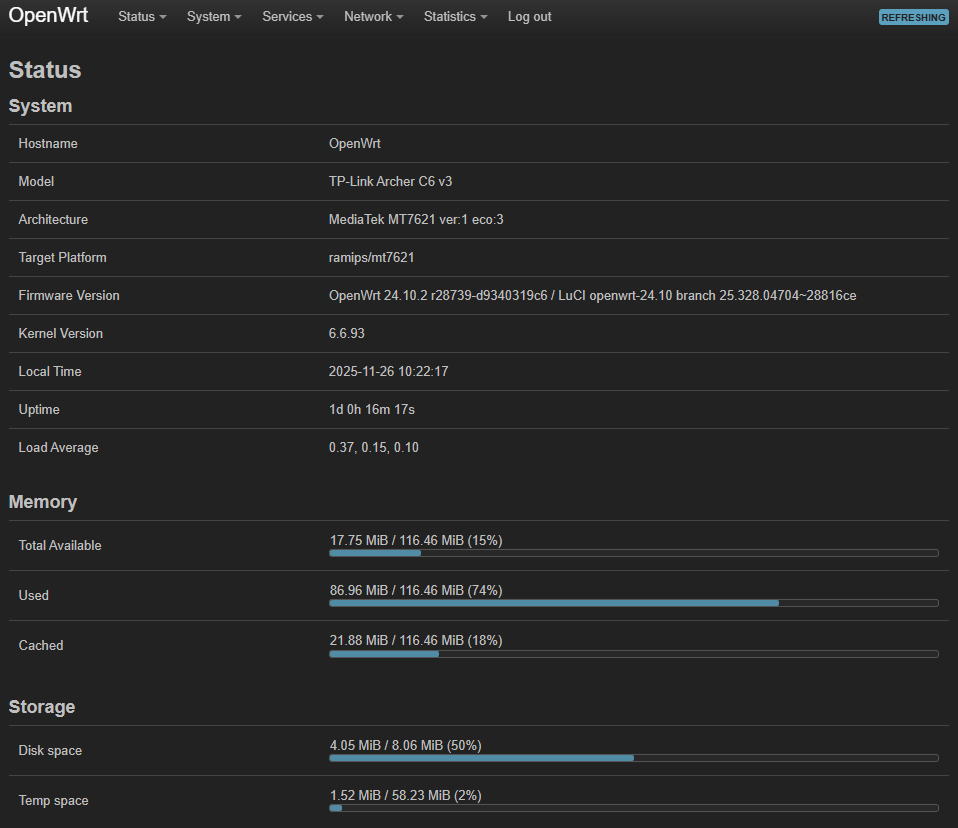 Caption: Status page reminding me that a tiny router can still multitask like a newsroom on deadline.
mwan3 told me via logread that the 1.1.1.1 health check is fussy—there were multiple failures in a row, which may explain occasional hiccups. That’s why the magazine still runs a “Network Watchdog” column: I keep ping statistics handy, and collectd is already logging CPU, memory, and interface stats so the next outage story has data to back it up.
Switch Briefing and Smart Home Sidebar
The Netgear S350 switch (a refined GS308T ancestor) reports to Home Assistant over SNMP, offering port-level telemetry that I consume on a special networking dashboard. When a port goes down, HA knows about it before I do. That same dashboard pulls in wireless client counts and traffic stats from the router, so this network zine always has fresh analytics.
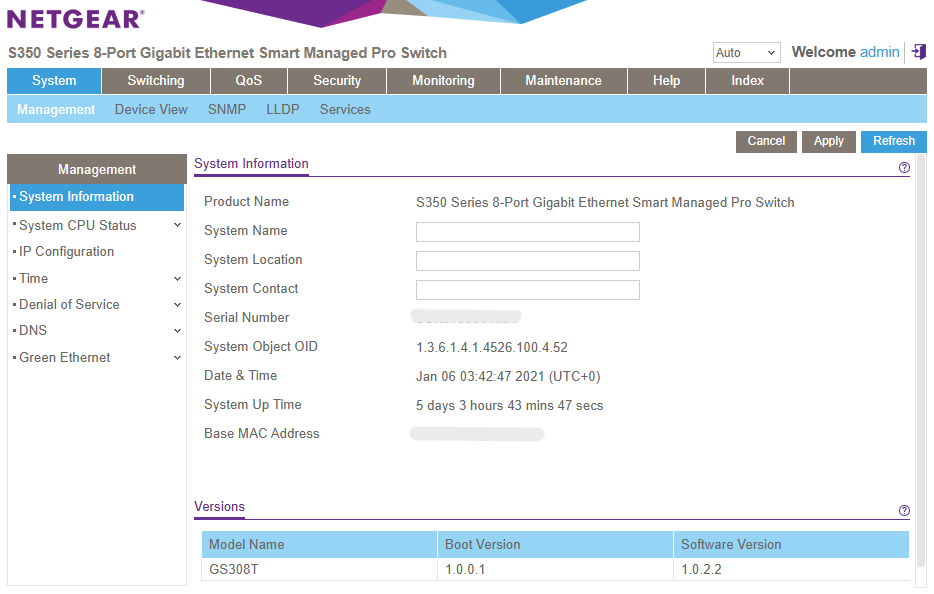 Caption: The switch reporting its credentials. It loves SNMP and doesn’t complain when I poll it every five minutes.
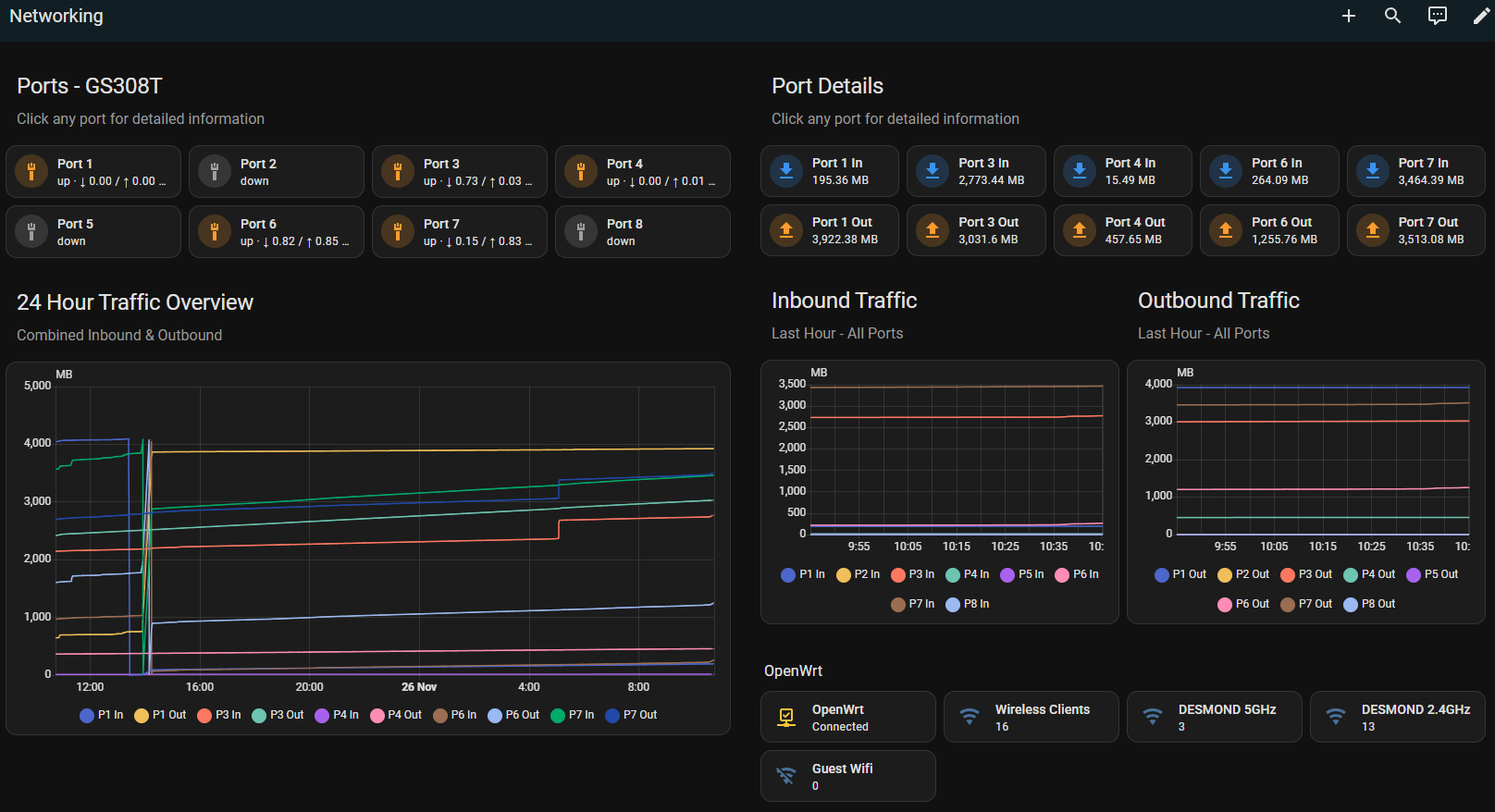 Caption: The Home Assistant networking overview—what the switch, router, and Wi-Fi clients look like when they behave.
Closing Editorial
The Archer C6 is now a crooked-lips, finely-tuned news anchor: keeping guests on their own lane, letting WireGuard handle the VIP walk-in, and reporting stats to Home Assistant. Stay tuned for follow-up stories—hopefully with fewer PSK mismatch alerts and more celebratory bandwidth graphs.
Need a hands-on tutorial to rebuild this circus? The project edition is ready just down the hall.